
THIS SEPTEMBER 21, THE MASTER LOCK ELECTRONIC VAULT PLATFORM WILL BE ACTIVATED
As previously announced, we’re adding the Master Lock Vault platform to help manage security and membership registrations. The Master Lock system is opened by using an application installed on your mobile smartphone.
MASTER LOCK VAULT SETUP
The following steps are required for access to the range:
- Create a Master Lock account
- Install and activate the MASTER LOCK VAULT on your mobile device
A full but concise step-by-step guide is available here:
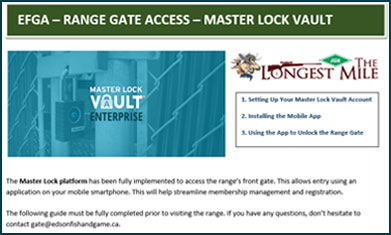
Please complete this at your earliest convenience.
STEPS TO GAIN RANGE ACCESS
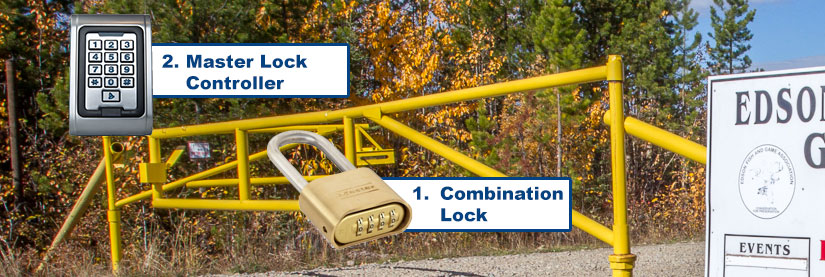
Currently, the Master Lock controller will work in addition to the existing combination lock.
You’ll continue to open the standard combination padlock which remains in the steel box at the centre of the gate. Once done, continue to unlatch the electronic lock with the Master Lock application.
Note that the Master Lock Controller PIN pad is only used if you are issued a temporary Master Lock PIN. This is primarily used by contractors and members who purchased their membership through our retail partners.
Steps are as follows:
1. While parked in front of the gate, exit your vehicle and open the COMBINATION LOCK with the GATE COMBINATION code. This is the standard code that is issued yearly along with your membership card.
2. Use the Master Lock application as outlined in the guide to release the electronic latch.
** If you’ve been issued a temporary 4-digit Master Lock PIN by a retailer or EFGA official, enter it on the MASTER LOCK CONTROLLER followed by the ‘#’ key. Please activate your Master Lock Account within the next 7 days. **
You will hear an audible click at which point you can open the gate.
3. Drive your vehicle into the range. Fully close the gate and lock the COMBINATION PADLOCK before proceeding to register at the sign-in shack.
Questions?
If you have any questions, please click here to contact us directly or use the following contact form: